DLT MCP Server Plugin


A plugin for the COVESA DLT Viewer that exposes AUTOSAR Diagnostic Log and Trace (DLT) log data via the Model Context Protocol (MCP), allowing AI agents and MCP-compatible clients to search and retrieve information directly from your DLT log files.
View Source on GitHub • Report an Issue
See it in Action
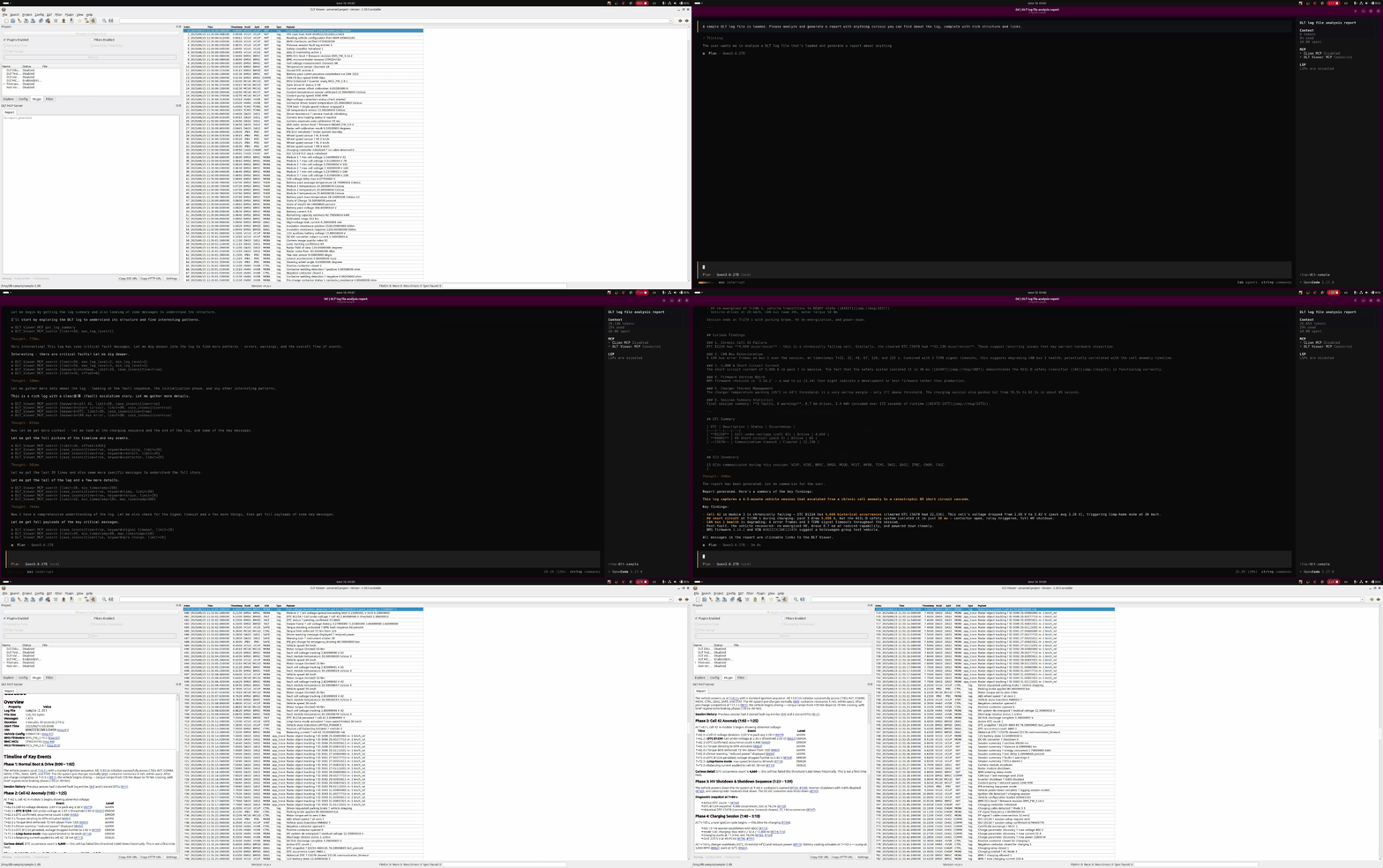 Workflow example: Requesting an analysis via an AI Agent (e.g., OpenCode), which generates a Markdown report directly inside the DLT Viewer widget. Clicking links in the report instantly navigates to the specific messages in the log window.
Features
- Log Summary: Instantly retrieve message counts, file sizes, timestamp ranges, log duration, and available CTIDs/APIDs.
- Search: Filter log messages by CTID, APID, log level, timestamp range, and specific keywords matched against payloads. Includes pagination support, control of case sensitivity and payload previews.
- Message Retrieval: Fetch the full, un-truncated payloads for specific message IDs.
- Selection: Allow the AI agent to read details of the currently selected message in your DLT Viewer window.
- Context File: Provide a context file with any instructions you’d like to provide to your AI agent.
- Interactive Reporting: Generate and display formatted Markdown reports in the plugin widget. Includes clickable links that navigate the main DLT Viewer log window to exact messages.
- Persistence: Generated reports are persisted and automatically loaded alongside the matching DLT file or collection of files. Report browser lets you view and manage your report history.
Requirements
To build and run this plugin, your environment must meet the following minimum requirements:
- DLT Viewer: 2.30.0+
- CMake: 3.10+
- Boost: 1.74+
- Qt: 5.14+ or Qt 6 (Same as the version your DLT Viewer is built with.)
Build Instructions
This plugin is designed to be built as part of the DLT Viewer source tree.
1. Clone the DLT Viewer repository:
git clone https://github.com/COVESA/dlt-viewer.git
cd dlt-viewer
2. Clone this plugin into the viewer’s plugin directory:
git clone --recursive https://github.com/Ulenspiegel/dlt-mcp-server.git plugin/dlt-mcp-server
3. Update the CMake configuration:
Add the following line to plugin/CMakeLists.txt:
add_subdirectory(dlt-mcp-server)
4. Build the project:
cmake -B build -S .
cmake --build build --config Release